If you suspect that your site's credentials might have been compromised, you should use Reset authentication to rotate all your site's keys and secrets. Every staff user — including you — will be logged out and forced to set a new password.
⚠️
This is a destructive action. All API keys will be reset, and all staff passwords will be reset and existing sessions signed out, including you.
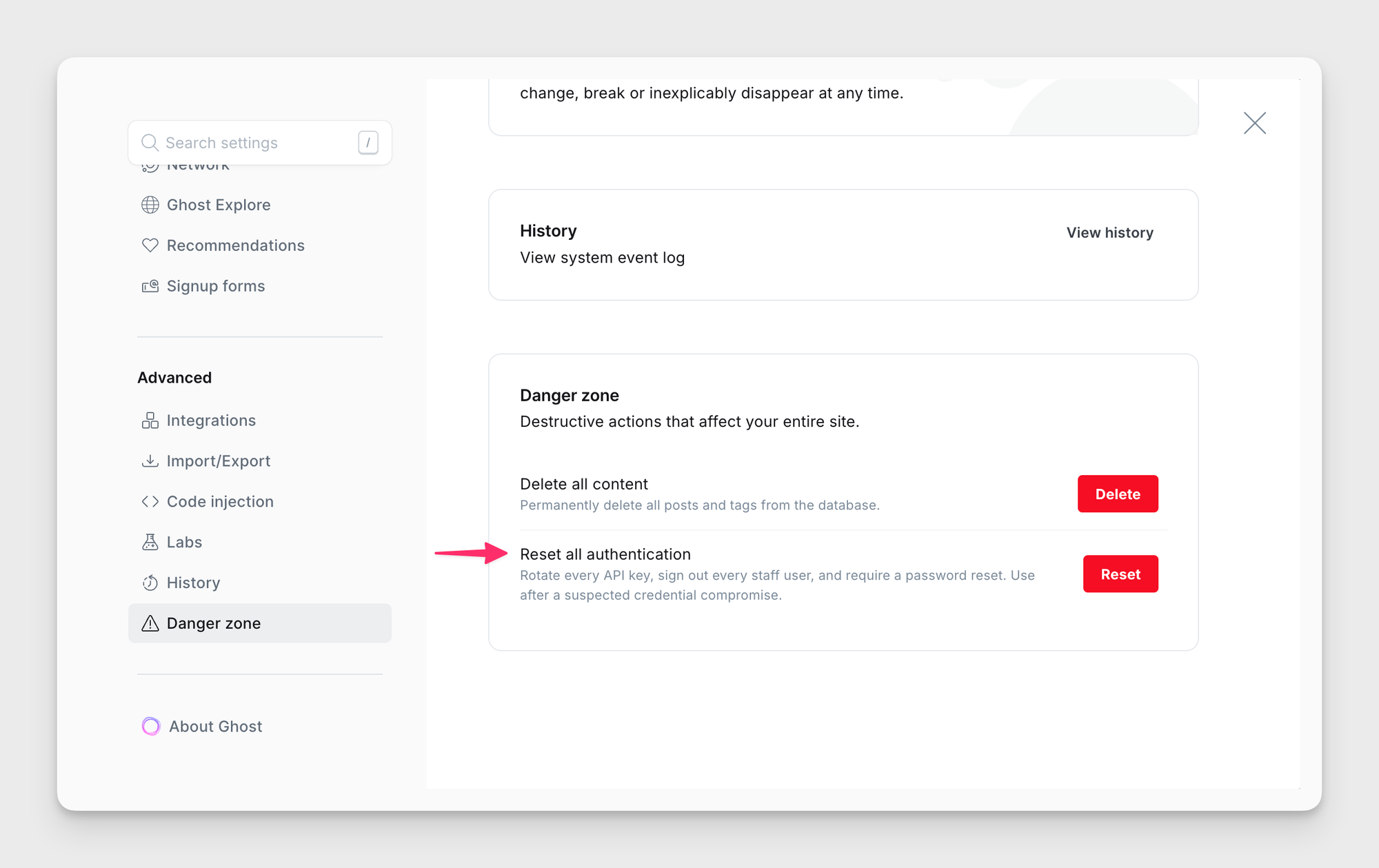
How to reset all authentication
- Go to Settings → Advanced → Danger zone.
- Click Reset.
- Ghost rotates your keys, resets staff accounts, and signs everyone out. You'll land back at the sign-in screen.
- Each staff user will be prompted to set a new password on the next sign-in.
Things to know
- Integrations will stop working. Each API key in Settings → Advanced → Integrations is replaced with a new secret. You'll need to reconfigure each integration with the newly generated secrets.
- Ghost will not rotate the Mailgun and Stripe keys. Please rotate these manually.
- Members and their subscriptions are remain untouched. They stay signed in and can continue to sign in with magic link emails as usual.
- Settings, themes, posts, pages, tags, and settings are all untouched. Only authentication credentials are reset.