Saved member views
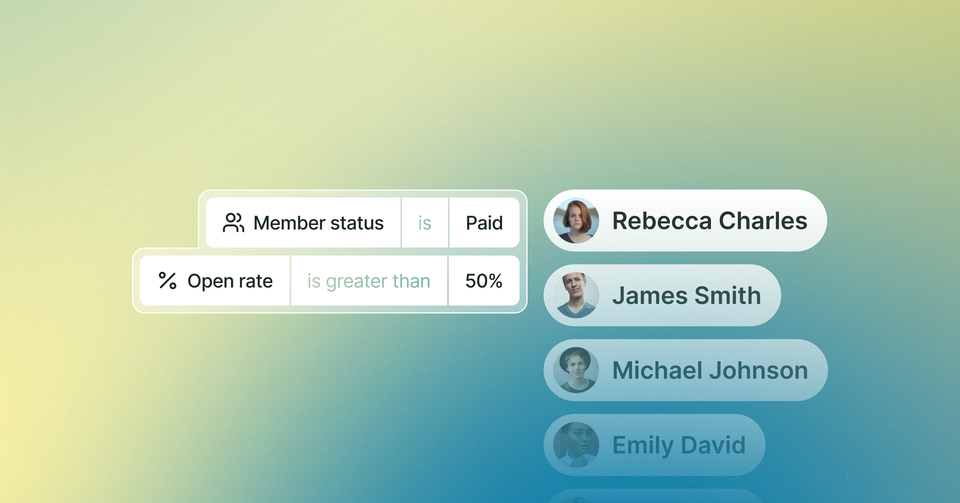
The member list in Ghost is the central hub for understanding your audience. Filtering lets you take a granular approach to segmenting members in ways that matter for your business – paid subscribers on a specific tier, your most engaged readers, or newsletter subscribers who haven’t opened anything in a while.
For many of those segments, you want to come back to them again and again. Until now, that meant rebuilding the same filter each time, leading to moments like, “Did I say 50% open rate or 60% last time…?”
Now you can save any combination of member filters as a named view.
Once you’ve built a filter you’ll come back to, give it a name that matches how you think about your audience. Highly engaged members, At-risk paid subscribers, VIPs. Your saved views then live in the left sidebar of Ghost Admin, ready whenever you need them.
We’ve also rebuilt the members page and filtering interface to be faster, more responsive, and clearer at a glance, so it’s easier to find exactly who you’re looking for.
Head to Members in Ghost Admin to start saving your most-used filters.
Ghost(Pro) users can log in and start enjoying all of this right away! If you're a developer, self-hosting Ghost, you'll need to update to the latest version to get access to everything that's new.
If there are ways you think this feature could be more valuable based on the way you use Ghost, we’d like to hear it. Let us know using the feedback link in the left sidebar of Ghost Admin.