Comment moderation

Communities on Ghost are thriving. Publications that once received occasional comments are now seeing hundreds per post — with readers replying to each other, building relationships, and returning to continue conversations.
As that’s happened, you told us you needed better tools to manage growing communities. Navigating between posts, dealing with browser quirks, and hunting down problem comments was eating into time you'd rather spend writing.
So we built a proper home for comment moderation, right inside Ghost Admin.
What's new?
There's now a dedicated Comments section in your sidebar. View, search, and moderate every comment across your publication from one place.
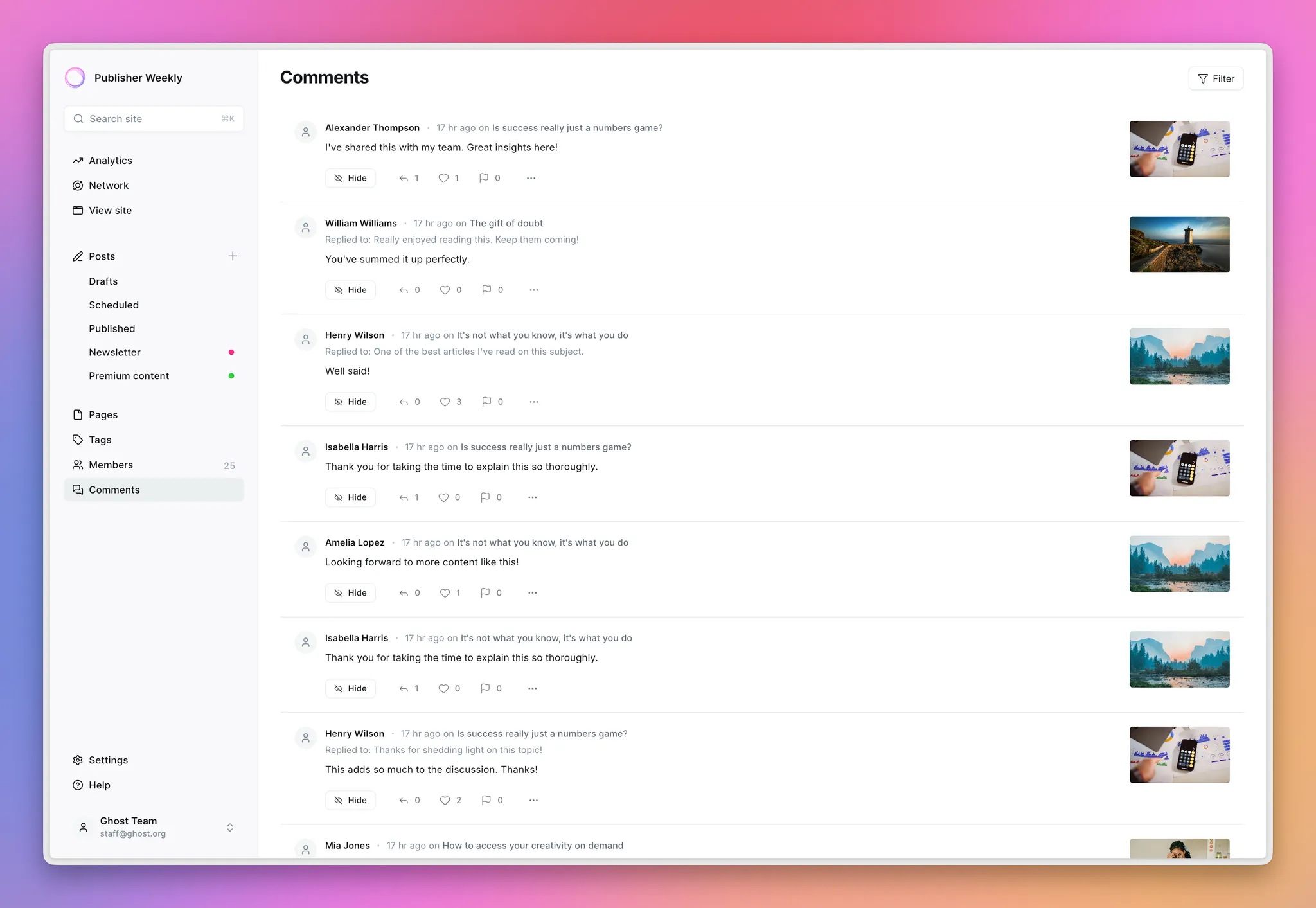
Powerful filters
Find exactly what (or who!) you're looking for. Filter comments by post, author, visibility status, date, search full text to track down specific keywords, or chain filters together when you need to get granular.
Reported comment management
Now you can view all the comments that your readers flag in one place. Filter by reported comments and take action right there in admin — hide the comment or investigate further.
Restrict commenting
A healthy community sometimes requires setting boundaries. You can now disable commenting for any member, and optionally hide all their previous comments across every post in one action — giving you full control over who participates in your community.
Context switching
Sometimes you want to see how things look on your actual site. Jump between Ghost Admin and the live comment with a single click, then return right where you left off.
Deep links
Links to individual comments now scroll directly to and highlight the relevant comment. This works for you in admin, and for your readers in comment notification emails — making it easier for everyone to pick back up the conversation.
We're excited to hear how these tools work for you — and as your communities continue to grow, we'll keep building alongside you.
Ghost(Pro) users can log in and start enjoying all of this right away! If you're a developer, self-hosting Ghost, you'll need to update to the latest version to get access to everything that's new.
If there are ways you think this feature could be more valuable based on the way you use Ghost, we’d like to hear it — feedback@ghost.org.